My AI agent lives on a mini PC at home.
I’ve been setting up Hermes as a personal agent that stays available 24/7. I can message it from my phone, give it a task, or let a scheduled job run while I’m doing something else. Its tools and context are already there when I need them.
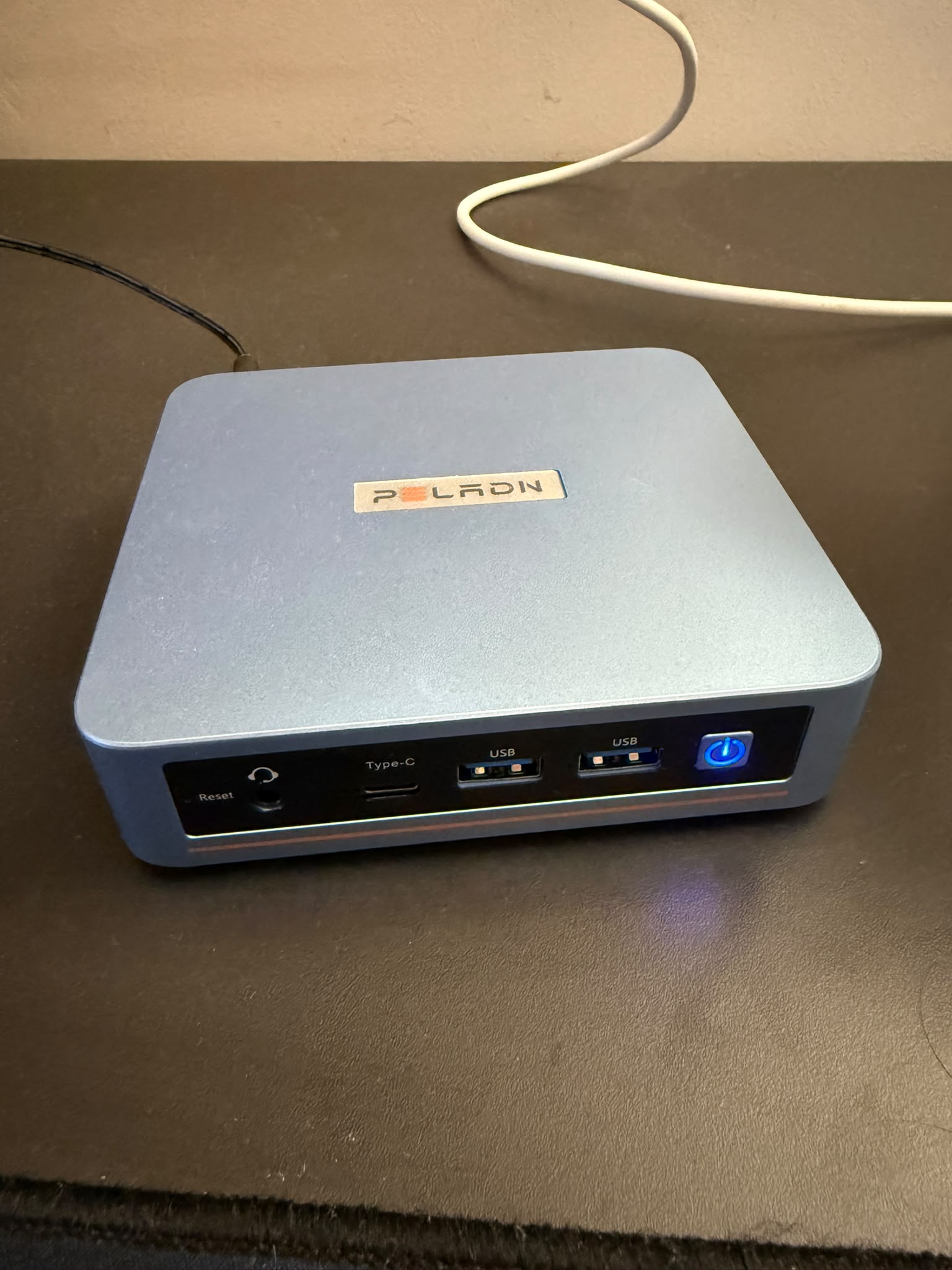
I bought this mini PC specifically to run autonomous agents: a small Linux machine with an Intel N95, 16 GB of RAM, and a 512 GB SSD. It doesn’t run the models locally. Those run in the cloud; the mini PC is where the agent’s tools, memory, integrations, and scheduled tasks live.
Discord is how I talk to it
Most of my interaction with Hermes happens in Discord. I can ask it to research something, work with my tools, or pick up a task without opening a terminal on the mini PC.
That makes the setup easy to use from whichever device I have with me. Hermes stays on the home machine, and Discord gives me a way to reach it from my phone or computer.
The always-on part also means I don’t have to start every conversation. Scheduled tasks can run and send me their results.
A few things I use it for
One is a market briefing based on the stocks I hold. Hermes knows my portfolio, so it can pull together news about those companies, relevant competitors, and the broader market. I want a briefing I can read each day without having to filter through the same sites myself.
I’ve also set up a few recurring tasks:
- Every morning at 7: create a new Stoicism lesson in my Notion.
- Every morning at 8: write a practical lesson based on a book, also in Notion.
- Every Monday: look for interesting tech events in San Francisco, research companies worth following, organize the findings in Notion, and send me the results on Discord.
These are small jobs, but they give the agent a place in my routine. The output arrives in tools I already use, and I can follow up in the same chat if something catches my attention.
Giving it context and tools
I use Mem0 for persistent memory across conversations. It helps Hermes keep context about my projects, interests, and preferences, so I don’t have to repeat the background every time I ask for something.
Memory is one part of it. The other is access to tools: browser automation for websites, a Notion connection for reading and creating pages, and a local Garmin integration for my fitness data.
I’m adding these connections around things I actually want help with. Notion is where the lessons and research go. The browser lets it gather information or work with a website. Garmin gives it access to numbers I’d otherwise have to copy into the chat.
It helped me find this domain
A good example of the browser side: I asked Hermes to find an available victor. domain. I wanted something short that kept my name intact.
It did really well here. It checked registrar searches, compared options, and came back with victor.build. It also explained why some alternatives didn’t work: several were already registered, while others looked promising in registry lookups but were marked as reserved by the registrar.
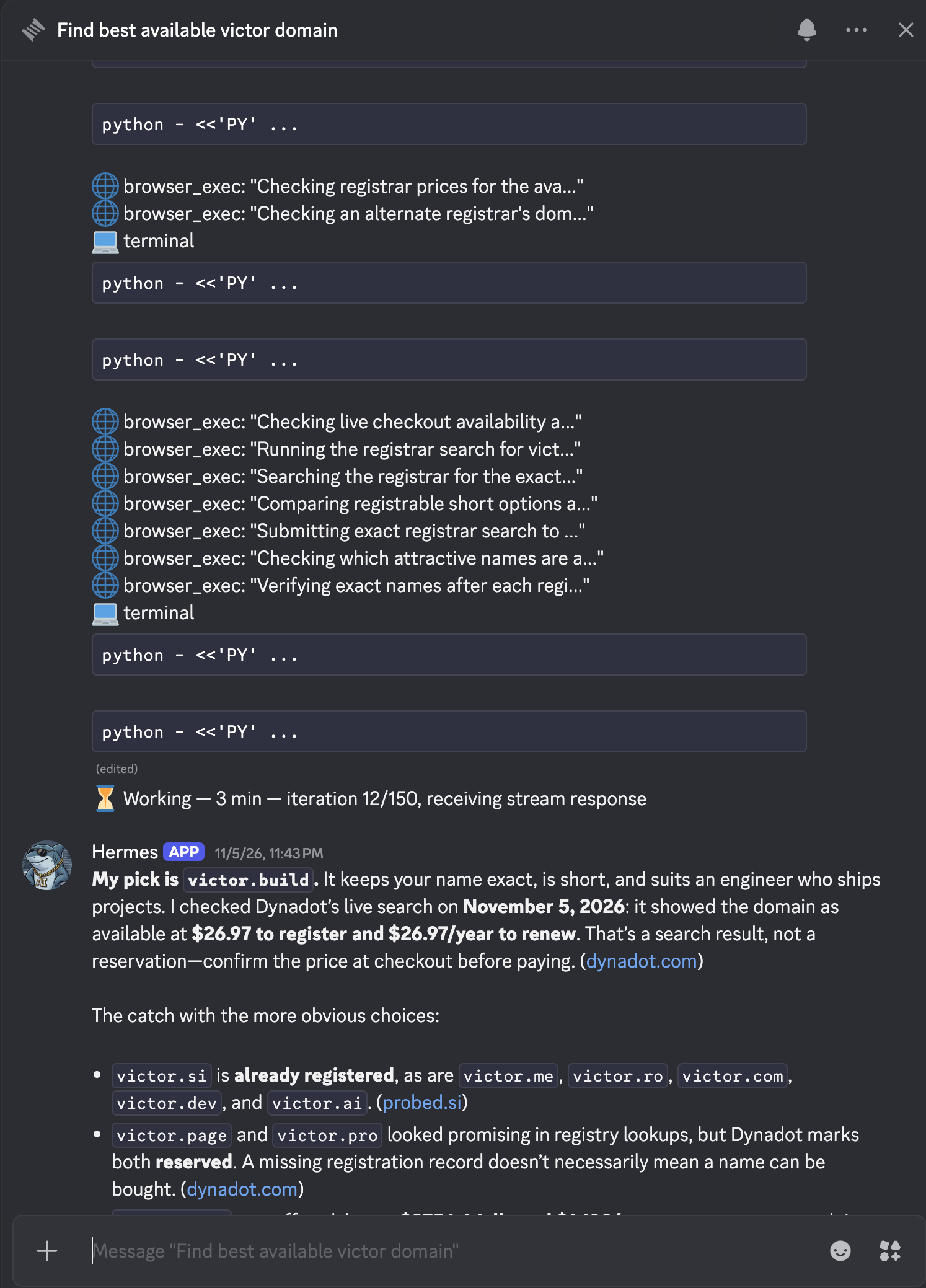
What impressed me was the follow-through. It used the browser to check whether the names could actually be bought, compared registration and renewal prices, and explained its choice. That’s the kind of research I’d otherwise spend time clicking through myself.
A health coach that can read my stats
One direction I want to take this is making my agents my personal health coaches. Before they can help me follow my progress, they need to see how I’m doing.
That’s why I built the Garmin integration. Hermes can read my sleep, activity, and recovery data through an MCP server running on the same machine. I can ask about the past week without first telling it how much I slept or how many steps I took.
I wrote about the pipeline and shared an actual chat in Building my AI health coaches, starting with Garmin.
Eventually, I’d like the coach to notice changes and bring them to me. For now, it can look up the data itself. I’m building from there.
What runs where
The Hermes gateway runs on the Linux mini PC. It handles the Discord connection and gives the agent a place to use its tools and run recurring tasks. When a task needs a model, the request goes to a cloud provider.
I use Tailscale and SSH to reach the machine remotely, and Netdata to monitor it. That lets me maintain the setup without having to be at home.
I considered a VPS too. For comparison, Hetzner’s CPX22 currently starts at €19.99/month in Europe before VAT, including IPv4, for 2 shared vCPUs, 4 GB of RAM, and 80 GB of NVMe storage. That’s roughly €240 a year in server rental. I decided to put the money toward a machine of my own, with 16 GB of RAM and a 512 GB SSD, and keep it running at home. It also means the browser’s traffic comes from my home connection, which can be useful on websites that treat data-center traffic differently.
There’s still a cloud dependency for the models, and some integrations rely on external services. What I control is the machine the agent runs on and how I connect its tools.
Still an experiment
I’m gradually figuring out which tasks are worth handing over. Some make sense as recurring jobs; others are better started with a message. It isn’t all automated, and it isn’t perfectly reliable.
What keeps me interested is seeing these pieces work together: an agent that remembers some context, can reach the tools I use, and is available even when my laptop is closed. Each useful connection gives it a little more to work with.
For now, that’s a mini PC at home and a Discord chat on my phone. I want to see how far I can take it.